🔥 Nano Banana 2 is LIVE! Get Unlimited Generations at 50% OFFGet Now!
AI Video Generation

The AI Video Generator for Every Creator.

Short Clips. Long Stories. Zero Limits.

From a single sentence to a cinematic multi-scene video — our AI video generator turns your ideas into stunning short videos and feature-length long videos in minutes. Powered by the world's best AI models: Sora 2, Kling, Veo, Runway, Wan, and SeeDance.

Free to StartNo Credit Card RequiredNo Technical Skills NeededCommercial Use Allowed
0 / 3000
0 / 1000
Est. Duration: 1m 4s

Two Powerful Modes. One AI Video Generator.

Whether you need a punchy 8-second clip for TikTok or a fully scripted multi-scene video for YouTube, there is a dedicated creation mode built for your goal.

Short VideoLong Video
Best ForSocial ads, reels, clips, cinematic shortsStories, documentaries, YouTube, brand films
Max LengthUp to 15 secondsSeveral minutes
InputText prompt, image, reference photoText idea → AI generates full script + scenes
Key ModelsSora 2, Veo 3.1, Kling V2.5, Runway Gen 3, Wan 2.5, SeeDance V1AI-driven scene planning + video generation
OutputInstant cinematic clipsComplete narrative videos

Short Video Generator: From Prompt to Clip in Minutes

Our short video generator is built for speed, creativity, and versatility. Whether you're a content creator, marketer, or filmmaker, you can generate professional-quality short videos using multiple AI-powered creation methods — all from a single platform.

Text to Video AI

Text to Video AI

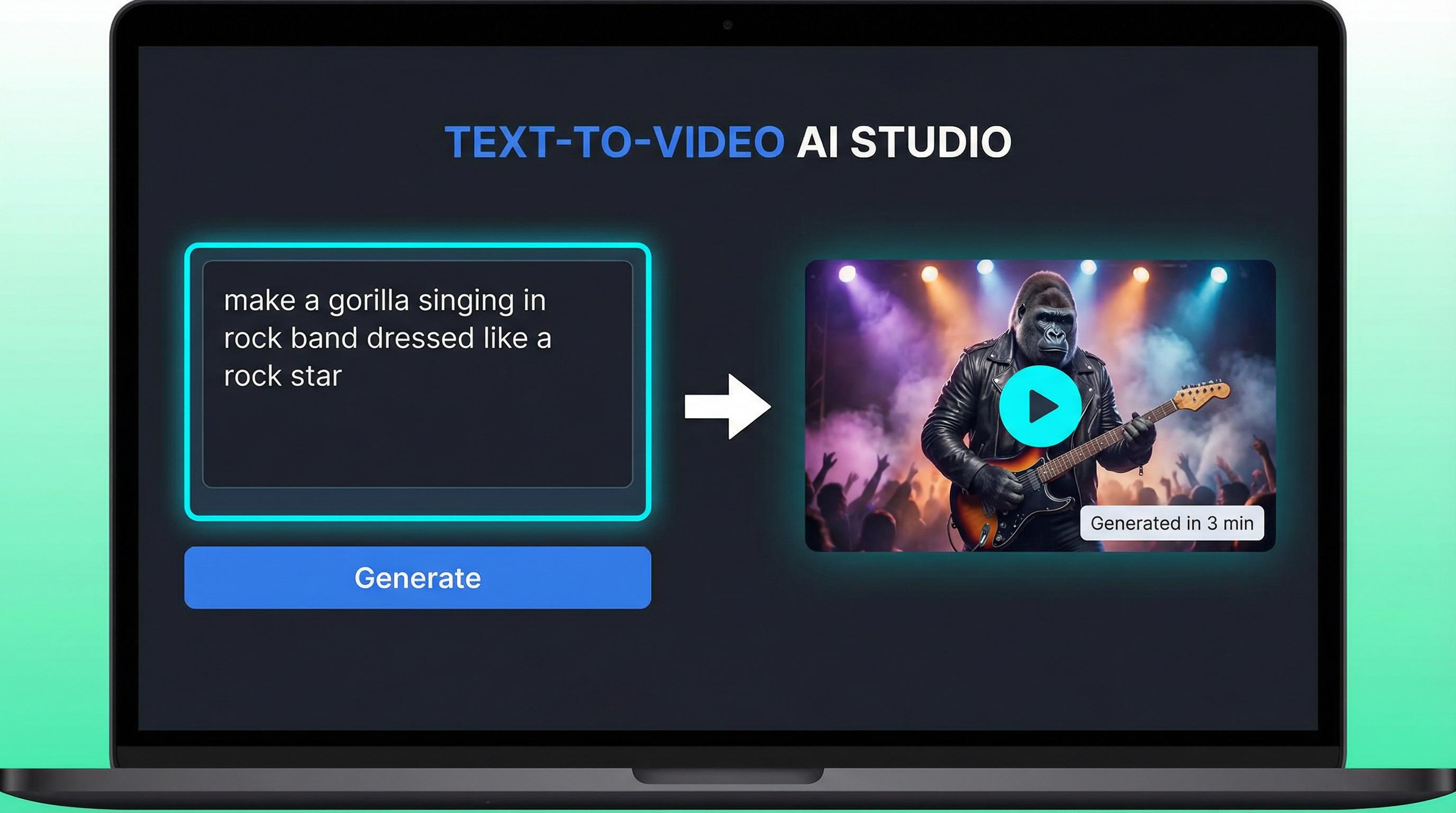
Turn any idea into a stunning video with just a text description. The AI understands natural language prompts — capturing mood, lighting, camera movement, and visual style from your words alone. Choose Sora 2 for hyper-realistic visuals, Veo 3.1 Fast for rapid generation, or Kling V2.5 for fluid motion and expressive character animation. Every model is available on a single platform.
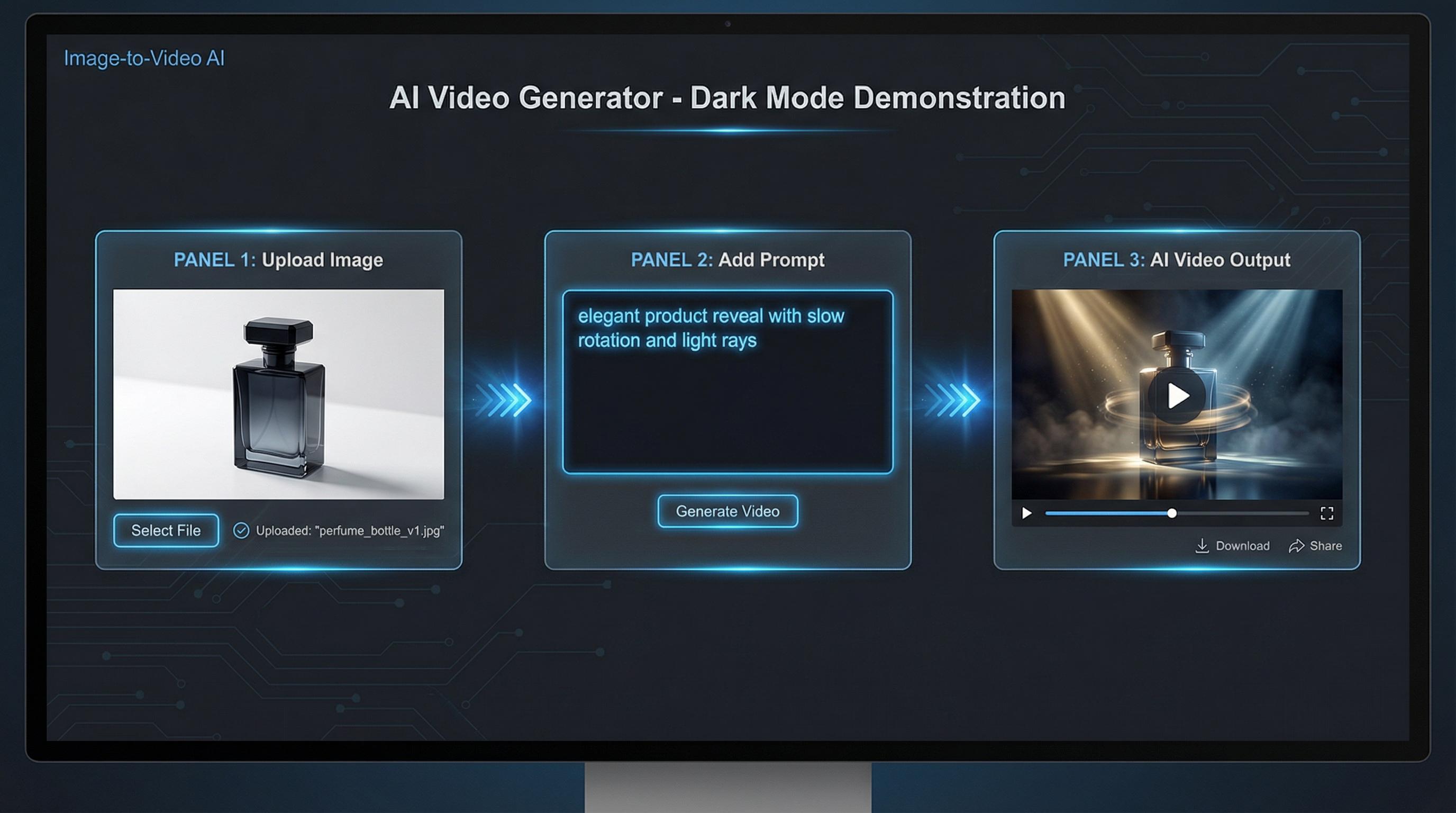
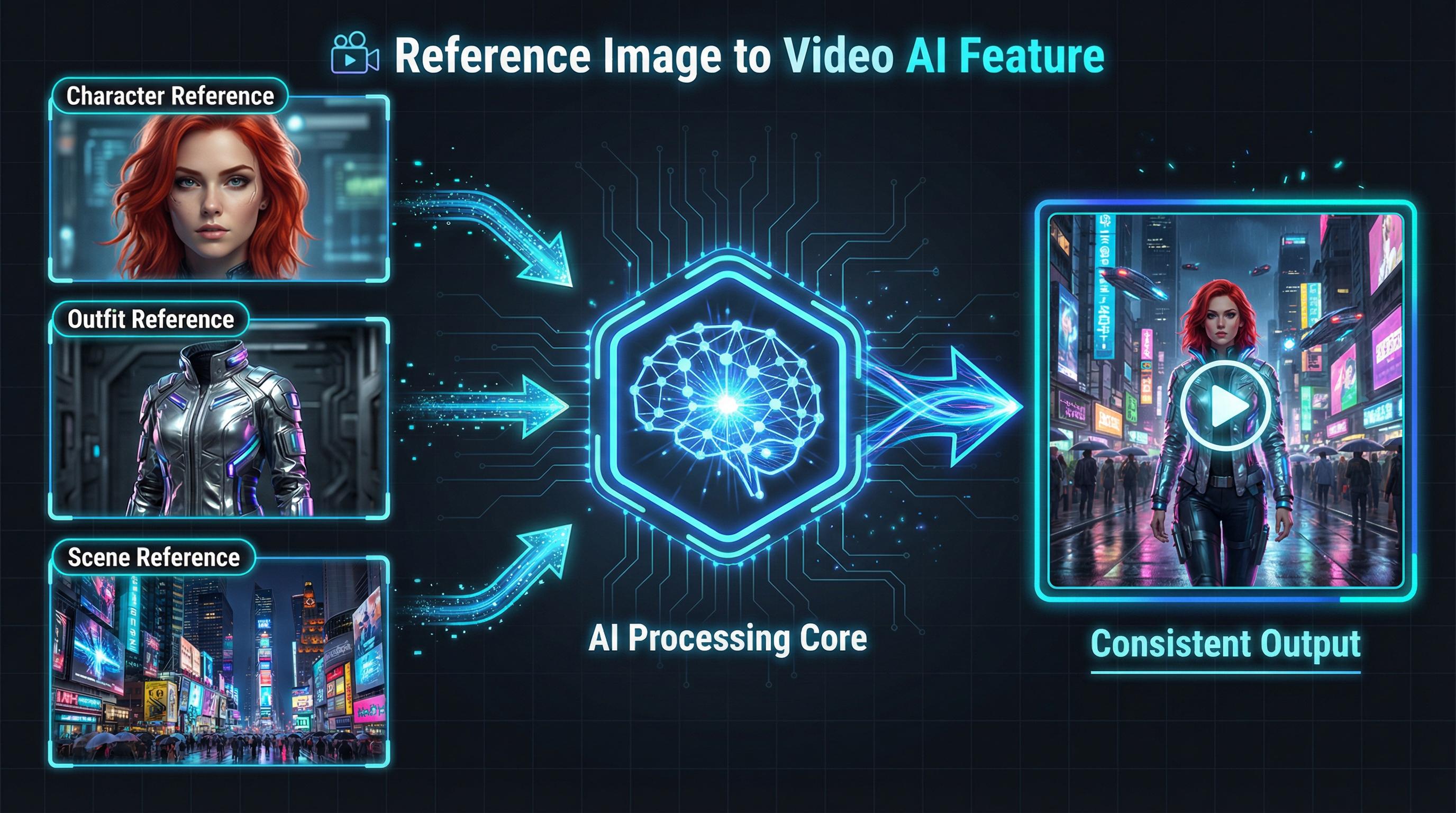
Image to Video AI

Image to Video AI

Have a photo you love? Our image to video AI breathes life into any still image. Upload a photo of a person, product, landscape, or artwork, add a brief prompt describing the desired motion, and watch your image transform into a dynamic cinematic video.

Reference Image to Video

Reference Image to Video

Maintain precise visual consistency across your entire video by providing reference photos for characters, objects, and environments. Upload up to three reference images and the AI faithfully reproduces each in the generated video. Ideal for brand mascot videos, character-driven short films, and any production where visual accuracy is non-negotiable.

Start-End Image to Video

Start-End Image to Video

Define exactly where your video begins and where it ends. Provide two images — one for the opening frame and one for the closing frame — and the AI generates a smooth, professional transition video between them. Perfect for before-and-after reveals, product transformation videos, and time-lapse simulations.

AI Long Video Generator: From One Idea to a Complete Multi-Scene Video

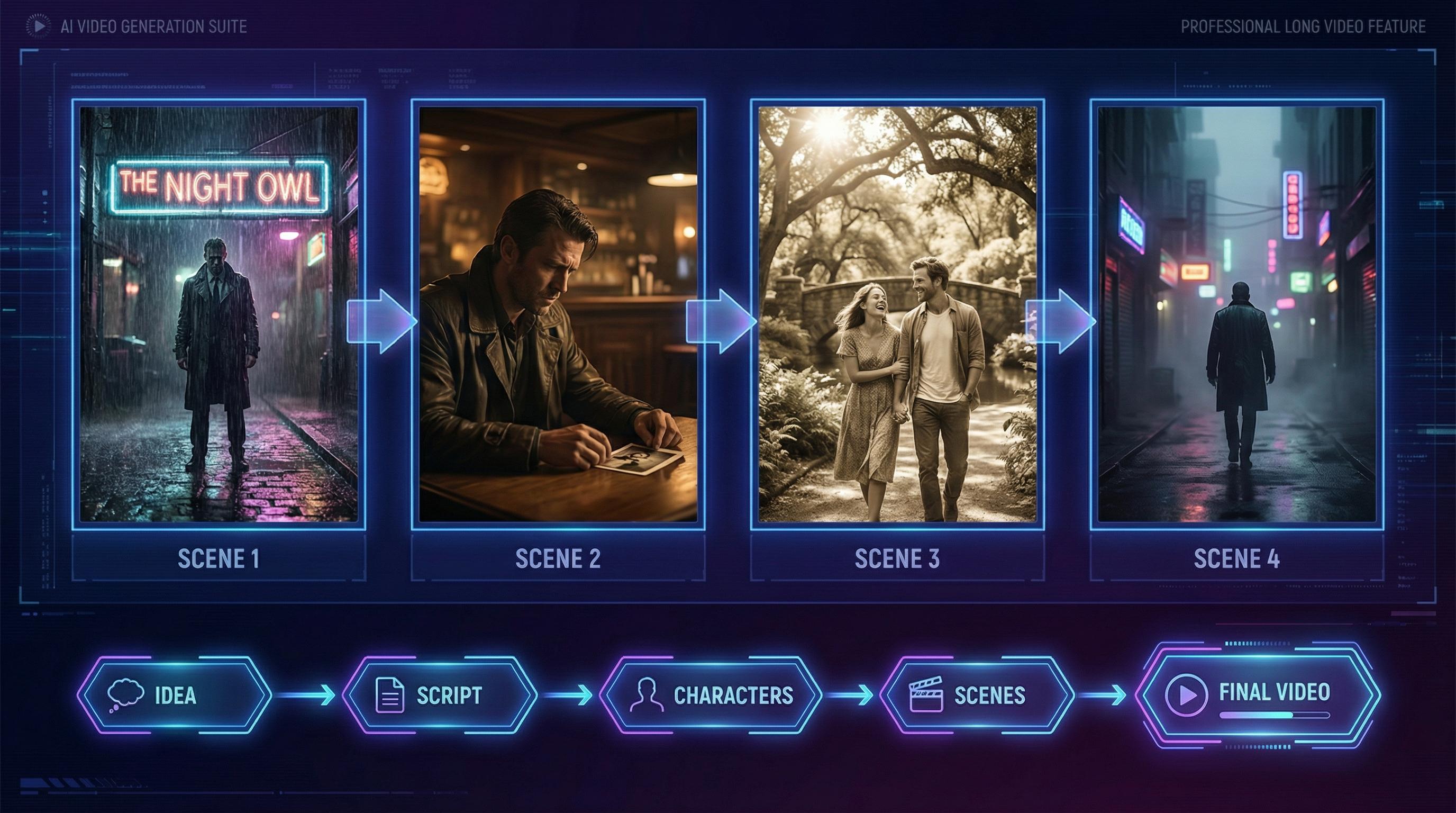
Creating a long-form video used to require a full production team. The AI Long Video Generator collapses that entire pipeline into a single, conversational AI workflow. You bring the idea. The AI handles everything else.

How the Long Video Generator Works

How the Long Video Generator Works

1

Enter Your Idea

Start with a simple concept: a story premise, a topic, a character, or a mood. You don't need a script. You don't need a storyboard. A single sentence is enough to begin.

2

AI Generates a Story Outline

The AI analyzes your idea and automatically generates a structured story outline — complete with scene breakdowns, narrative arc, and thematic direction. Review and refine through natural conversation.

3

Design Your Characters

The AI proposes character designs based on your story. Accept the suggestions, provide reference images for visual accuracy, or describe modifications through conversational feedback.

4

Review and Edit the Script

The AI writes a full scene-by-scene script with dialogue and action descriptions. Every element is editable — adjust tone, rewrite scenes, change pacing, or add new story beats.

5

Generate Your Complete Video

Once satisfied with the script and characters, the AI generates all scenes and assembles them into a complete, multi-scene long video with smooth transitions and consistent visual style.

Why Creators Love the Long Video Generator

👥

Consistent Characters Across Every Scene

Character designs are locked at the start of production and applied consistently across every generated scene. Your protagonist looks the same in scene one as in the final scene.

💬

Fully Conversational Editing

Every adjustment — from changing a character's outfit to rewriting a scene's dialogue to altering the video's pacing — is made through natural conversation. No complex interface to learn.

⚡

One Click Away

Once your story, characters, and script are finalized, generating the complete long video requires a single click. The AI handles scene generation, transitions, and final assembly automatically.

Create Your First AI Video in 3 Simple Steps

No video editing experience, no production budget, no technical knowledge required. From idea to finished video in minutes.

01

Choose Your Mode

Select Short Video for quick clips, social media content, and cinematic shorts. Select Long Video for multi-scene stories, YouTube content, and brand films. Both modes are accessible from the same platform.

02

Describe Your Vision

Type your prompt in plain English. Describe the scene, the characters, the mood, and the style you want. Optionally upload reference images.

03

Generate and Download

Hit Generate and watch your video come to life. Short videos are ready in 2–5 minutes. Long videos are assembled scene by scene with your ongoing input. Download in high quality — watermark-free on paid plans with full commercial use rights.

See What Creators Are Making

Join a growing community of creators, marketers, and storytellers who are using this AI video generator to produce content that stands out.

“The Reference Image to Video feature is a game-changer. I can finally maintain consistent characters across my entire video series.”

— Community Creator

“I generated a complete 3-minute brand film in under an hour. The Long Video generator handled everything from the script to the final cut.”

— Marketing Professional

“Veo 3.1 Fast is insanely good for quick social content. I'm producing 5x more video content than before.”

— Content Creator

Everything You Need to Create Professional AI Videos

More than a video generator — a complete AI-powered video creation platform built with every type of creator in mind.

Text to Video

Transform any text description into a dynamic, high-quality video. Describe your vision in plain language and watch it come to life.

Image to Video

Upload any photo and animate it into a cinematic video with AI-generated motion, effects, and synchronized audio.

Reference Image to Video

Maintain precise visual consistency by providing reference images for characters, objects, and environments.

Start-End Image to Video

Define the opening and closing frames of your video and let AI generate the perfect transition between them.

Long Video Generation

Create multi-scene, multi-minute videos from a single idea — complete with AI-written scripts, consistent characters, and smooth transitions.

Multi-Model Support

Access Sora 2, Kling V2.5, Veo 3.1, Runway Gen 3, Wan 2.5, and SeeDance V1 on one platform.

Multiple Aspect Ratios

Generate videos in 16:9, 9:16, 1:1, and more — optimized for every platform from YouTube to TikTok.

Commercial Use Rights

Own full rights to every video you create. Share, sell, and monetize your AI-generated content freely.

Fast Generation

Short videos are ready in 2–5 minutes. No long queues, no complex rendering pipelines.

Free to Start

Sign up for free — no credit card required. Start creating AI videos immediately with no commitment.

Frequently Asked Questions

Everything you need to know about the AI video generator.

1

What is this AI Video Generator?

An all-in-one AI video creation platform to generate professional-quality videos from text prompts, images, and reference photos. It offers Short Video mode and Long Video mode for multi-scene narrative productions — powered by Sora 2, Kling V2.5, Veo 3.1, Runway Gen 3, Wan 2.5, and SeeDance V1, Seedance 2.0.

2

What is the difference between Short Video and Long Video?

Short Video is for quick, high-impact clips — social media content, cinematic shorts, and creative productions. Long Video is a full AI production pipeline for multi-scene, narrative-driven content: start with a single idea and the AI generates a story outline, character designs, a scene-by-scene script, and a complete multi-scene video.

3

Which AI models are supported?

Sora 2, Sora 2 Pro, Veo 3.1 Quality, Veo 3.1 Fast, Kling V2.5, Runway Gen 3, Wan 2.5, and SeeDance V1. Each model has distinct strengths — from Sora 2's hyper-realistic physics to SeeDance V1's specialized dance and movement generation.

4

How long does it take to generate a video?

Short videos typically generate in 2–5 minutes, depending on the selected model, video length, and server load. Long Video generation is an interactive process — each scene is generated progressively as you review and approve the story, characters, and script.

5

Can I use the generated videos commercially?

Yes. Paid plan users (Plus and Pro) have full commercial use rights for all videos they generate. You own the output and can use it for advertising, social media, client work, and monetized content.

6

What is Reference Image to Video?

A feature that lets you upload reference photos of characters, objects, or scenes to ensure visual consistency in your generated video. Upload a photo of a face, an outfit, and a location — and the AI generates a video that accurately represents all three references in a cohesive output.

7

What aspect ratios are supported?

16:9 (YouTube, landscape), 9:16 (TikTok, Instagram Reels, vertical), 1:1 (Instagram square), and additional ratios depending on the selected model.

8

Do I need video editing or technical skills?

No. The platform is designed for everyone, regardless of technical background. Describe what you want in plain language, optionally upload reference images, and the AI handles all the technical work.

9

What is the Long Video generator and how does it work?

Long Video is a premium feature for creating multi-minute, multi-scene videos through a conversational AI workflow. Start with a single idea; the AI generates a story outline, character designs, and a scene-by-scene script. Characters remain visually consistent across all scenes, and every element is adjustable through natural conversation.

Your Ideas Deserve to Be Seen.

Start Creating AI Videos for Free Today.

Whether you're building your brand, growing your audience, or telling a story that matters — this AI video generator gives you the tools to create professional-quality video content without the cost, complexity, or time of traditional production.

Join thousands of creators, marketers, and storytellers who are already using AI to bring their ideas to life.